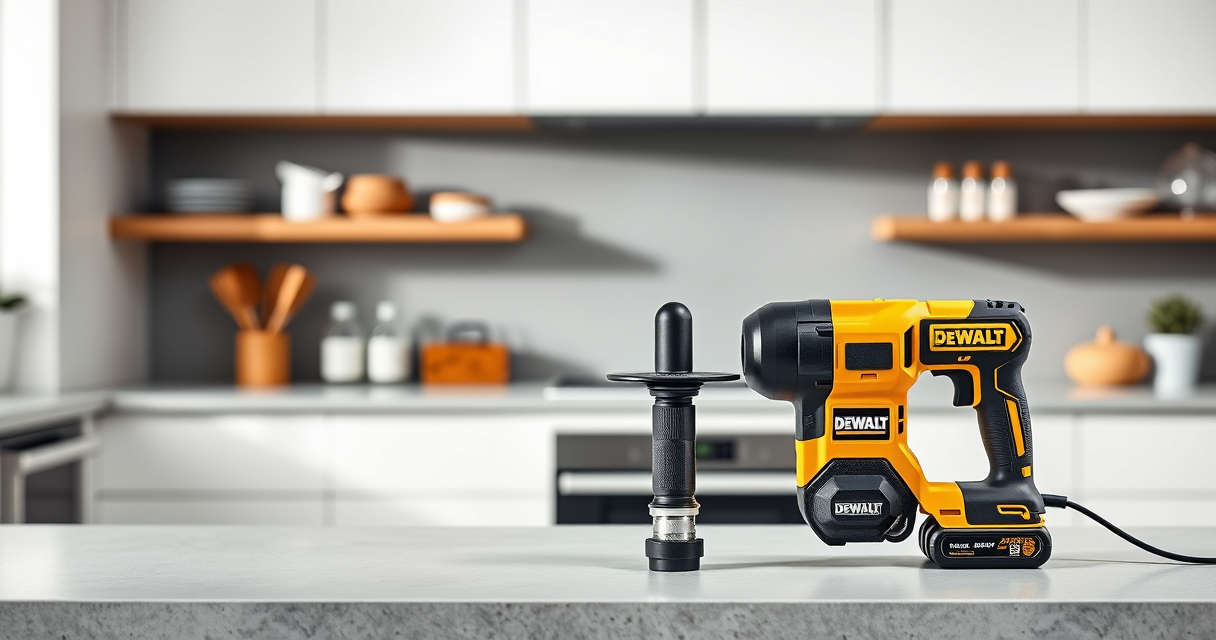

Keeping your DEWALT 20V MAX Cordless Drill Driver Set in optimal condition is essential for ensuring long-lasting performance on the job. Whether you’re experiencing performance issues or just want to prolong the life of your drill, this step-by-step troubleshooting and maintenance guide provides practical, safe advice to help you get the most out of your tool.

Get garden gear delivered free with Prime
- Fast, free delivery on millions of items
- Prime Video, Amazon Music and more included
- Member-only deals all year
From basic battery care to troubleshooting common problems, you’ll find clear instructions and tips to keep your DEWALT drill running smoothly. Remember, proper care not only extends the lifespan of your equipment but also ensures safety and efficiency during your projects.
Key Takeaways
| Battery Care | Regularly check and maintain batteries for optimal runtime. |
| Performance Troubleshooting | Identify common issues like weak power or overheating. |
| Cleaning & Storage | Keep your drill clean and store in a dry, safe place. |
| Component Inspection | Regularly inspect and replace worn parts for safety and performance. |
Battery Maintenance and Troubleshooting
- Ensure your batteries are fully charged using compatible DEWALT chargers. Check the LED charge indicators for status.
- If your drill isn’t powering on, remove the battery and clean the contacts with a dry cloth to remove dirt or corrosion.
- Test the battery with a multimeter to verify voltage; replace if voltage is significantly below 20V.
- Store batteries in a cool, dry place, avoiding extreme temperatures, and recharge them regularly if not in use for extended periods.
- Use the 20V MAX 5 Ah Lithium Ion Batteries for longer runtime, especially in demanding jobs.
Cleaning and General Care
- Wipe down the exterior with a damp cloth after each use to remove dust and debris.
- Use compressed air to clean vents and LED light areas, ensuring no dust obstructs airflow or light visibility.
- Avoid harsh chemicals or solvents that could damage the plastic or electronic components.
- Periodically check the chuck and ensure it rotates smoothly; lubricate with a light machine oil if needed.
- Store the drill in a dry, protected case to prevent damage and exposure to moisture.
Troubleshooting Common Issues
- Drill not turning on: Confirm battery is charged and properly inserted. Reset by removing and reinserting the battery. Check for visible damage.
- Weak or inconsistent power: Test the battery with a multimeter; replace if voltage is low. Check for jammed or worn-out parts in the chuck.
- Overheating during use: Allow the drill to cool down between intense tasks. Clean vents and ensure proper ventilation during operation.
- LED light not functioning: Verify the trigger is pressed fully. Replace the LED if it’s damaged.
- Unusual noises or vibrations: Stop use immediately. Inspect the chuck, gears, and motor for damage or debris.
Replacing Worn or Damaged Parts
Regular inspection of your drill can prevent major failures. Replace worn-out or damaged parts such as the chuck, brushes, or LEDs promptly. Use genuine DEWALT replacement parts for compatibility and safety. Refer to your user manual for specific part numbers and replacement procedures. Always disconnect the battery before servicing to avoid accidental activation or electrical shock.
Additional Tips for Longevity
- Use the appropriate drill bits and avoid forcing the drill, which can damage the motor or chuck.
- Charge batteries to about 80% before storing long-term to prolong battery life.
- Lubricate moving parts periodically according to manufacturer instructions.
- Keep your drill away from moisture and extreme temperatures.
- Follow the user manual for proper operation and maintenance procedures.
The Products in This Guide

DEWALT 20V MAX Cordless Drill Driver Set
- ✔ Max Torque: 340 UWO
- ✔ Speed: 2 speeds
- ✔ Trigger Delay: 20 seconds

DEWALT Drill Bit Set
- ✔ Split Point: 135°
- ✔ Web Design: Tapered
- ✔ Coating: Black & Gold
DEWALT 20V MAX Cordless Drill Driver Set
The DEWALT 20V MAX Cordless Drill Driver Set offers powerful brushless motor technology, compact design, and reliable performance for a wide range of applications. Regular maintenance and troubleshooting ensure this tool remains effective for years to come.
Pros:
- Powerful brushless motor
- Lightweight and ergonomic design
- LED work light
- Includes 2.0 Ah battery and charger
Cons:
- Battery life may vary with heavy use
- No additional attachments included
- Chuck may require occasional tightening
Best for: General-purpose drilling, fastening in tight spaces, DIY projects
Not ideal for: Heavy-duty industrial use or extended continuous operation
Bottom line: A reliable, lightweight cordless drill suitable for most home and professional tasks.
DEWALT Drill Bit Set
Complement your DEWALT drill with this 14-piece drill bit set designed for plastic, wood, and metal. The 135-degree split point helps reduce walking, making your drilling tasks more precise and efficient.
Pros:
- Durable High-Speed Steel
- Corrosion-resistant coating
- Includes multiple sizes
- Tapered web for strength
Cons:
- Limited to certain materials
- No impact driver bits included
- Sizes may need close checking
Best for: General drilling tasks in various materials
Not ideal for: Heavy-duty industrial drilling or impact use
Bottom line: A versatile, durable set that enhances your drilling precision.
Frequently Asked Questions
How often should I clean my DEWALT drill?
It’s best to clean your drill after each heavy use to prevent dust buildup, especially around vents and the LED light area. Use a soft cloth and compressed air for thorough cleaning.
What should I do if my drill is not holding a charge?
First, check the battery’s charge level with the LED indicator. If it’s low, recharge it. If the problem persists, test with a different battery or consider replacing the battery if it no longer holds a charge.
Can I use any charger with my DEWALT batteries?
Only use the charger specifically designed for your DEWALT 20V MAX batteries. Using incompatible chargers may damage the battery or reduce its lifespan.
How do I replace the LED light?
Consult your user manual for specific instructions. Usually, it involves disconnecting the battery, removing the damaged LED, and installing a compatible replacement part following safety guidelines.
What safety precautions should I take during maintenance?
Always disconnect the battery before cleaning or repairing. Wear safety glasses and gloves if handling internal parts. Work in a dry, well-lit area to prevent accidents.
Keep Your DEWALT Drill in Peak Condition
Proper maintenance and troubleshooting are essential for keeping your DEWALT 20V MAX Cordless Drill Driver Set performing reliably. Regular cleaning, prompt replacement of worn parts, and careful battery care will extend its lifespan and ensure safety during use. With a bit of routine attention, your drill will continue to be a valuable tool for years to come.
Affiliate disclosure: As an Amazon Associate we earn from qualifying purchases. Prices and availability are accurate as of the time of publishing.
Fall yard work Picks
leaf blowers
As an affiliate, we earn on qualifying purchases.