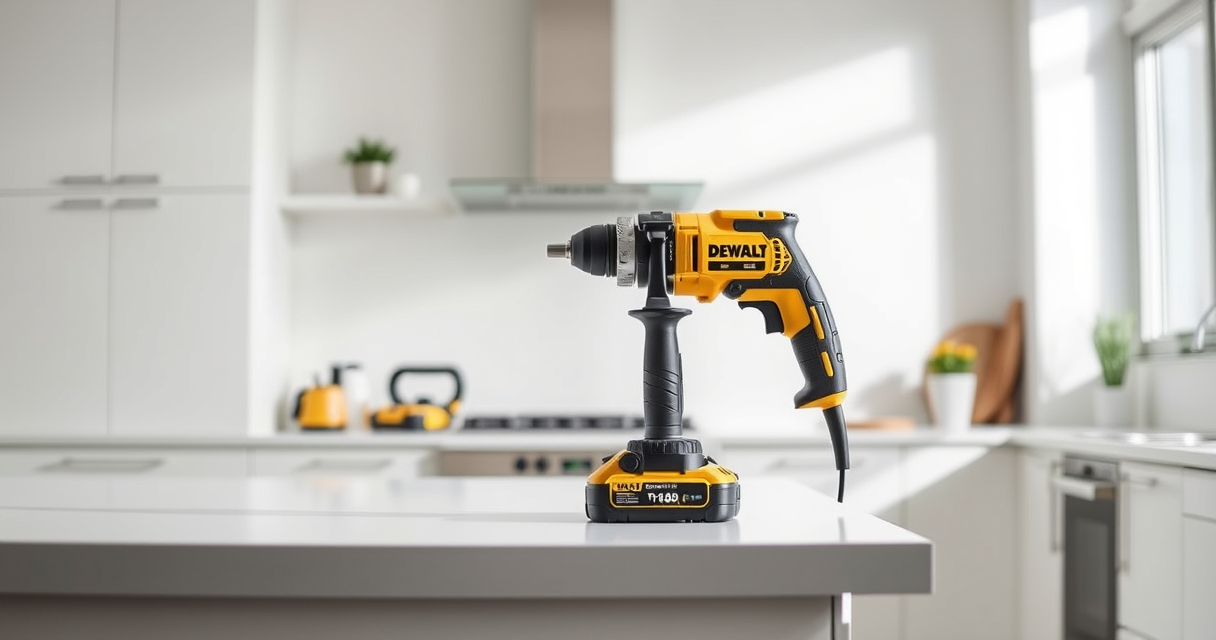

If your DEWALT 20V MAX cordless drill or impact driver is overheating during use, it can lead to reduced performance or damage. Fortunately, many overheating issues are manageable with proper troubleshooting and maintenance. This guide walks you through simple, safe steps to identify and fix overheating problems, ensuring your tools stay reliable and extend their lifespan.

Get garden gear delivered free with Prime
- Fast, free delivery on millions of items
- Prime Video, Amazon Music and more included
- Member-only deals all year
Before starting, make sure you have your tool, its batteries, and basic safety gear ready. Always disconnect the battery before performing any maintenance or troubleshooting to prevent accidents.
Key Takeaways
| Proper Battery Maintenance | Overheating can be caused by battery issues; ensure batteries are in good condition and properly charged. |
| Check for Obstructions | Clogged vents or debris can cause heat buildup, so keep vents clean. |
| Avoid Continuous Use | Prolonged use without breaks can overheat the motor; take regular pauses. |
| Inspect for Damage | Damaged parts or worn brushes may cause excessive heat; replace if needed. |
| Use Correct Accessories | Using incompatible or dull bits increases load and heat. |
Step 1: Power Off and Allow Cooling
- Immediately stop using the tool if it feels hot to the touch.
- Turn off the tool and remove the battery to prevent further heat buildup.
- Allow the tool to cool down completely in a well-ventilated area before inspecting.
Step 2: Check and Clean Vents
- Locate the ventilation slots on the tool’s body.
- Use compressed air or a soft brush to remove dust, debris, or obstructions from vents.
- Ensure vents are clear for proper airflow to prevent overheating.
Step 3: Inspect the Battery
- Remove the battery and check for swelling, corrosion, or dirt.
- Clean contacts with a dry cloth and ensure the battery is properly seated.
- If the battery is old or damaged, replace it with a new one, preferably a DEWALT 20V MAX 5 Ah battery for optimal performance.
Step 4: Check for Mechanical and Electrical Issues
- Inspect the motor brushes for wear; replace if worn down.
- Look for any unusual sounds or resistance during operation.
- Ensure bits are sharp and properly fitted to reduce strain.
Step 5: Use Proper Techniques and Limits
- Avoid continuous operation; give the tool regular breaks.
- Use the correct speed and torque settings for your task.
- Switch to appropriate bits and avoid forcing the tool beyond its capacity.
The Products in This Guide

DEWALT 20V MAX Cordless Drill and Impact Driver
- ✔ Length: 7.6 inches
- ✔ Weight: Lightweight design
- ✔ Warranty: 3-year limited

DEWALT Drill Bit Set
- ✔ Size Range: Various
- ✔ Durability: High
- ✔ Coating: Rust-resistant
DEWALT 20V MAX Cordless Drill and Impact Driver
The DEWALT 20V MAX Cordless Drill and Impact Driver is a versatile and durable combo kit, perfect for both professional and DIY projects. Its brushless motors offer efficiency and longevity, but overheating can occur if not properly maintained. Following proper troubleshooting steps ensures your tools stay in top condition.
Pros:
- Lightweight and ergonomic design
- Bright LED for visibility
- Quick bit change with hex chuck
- Includes 2 batteries for extended use
Cons:
- Can overheat with prolonged use
- Battery not included in some cases
- Requires regular maintenance for optimal performance
Best for: DIYers and professionals needing reliable cordless drilling and impact driving.
Not ideal for: Heavy-duty continuous industrial use without breaks.
Bottom line: A dependable cordless drill and impact driver combo with some care needed to prevent overheating.
DEWALT Drill Bit Set
Pair your DEWALT drill with this high-quality drill bit set featuring 14 pieces of durable high-speed steel bits. They are designed for use with plastic, wood, and metal, ensuring you have the right bit for every task.
Pros:
- Wide range of sizes
- Rust-resistant coating
- Tapered web design for durability
- 3-flats shank prevents spin-out
Cons:
- Not suitable for heavy-duty industrial use
- Bits may wear faster under extreme conditions
- Requires proper storage
Best for: General drilling tasks in various materials.
Not ideal for: Heavy industrial or continuous high-load applications.
Bottom line: A versatile set that enhances your drilling capabilities with reliable performance.
Frequently Asked Questions
Why is my DEWALT tool overheating?
Overheating can be caused by prolonged use, obstructed vents, worn brushes, or using incompatible accessories. Regular maintenance and proper usage can prevent this.
How long should I let my tool cool down?
Allow the tool to cool completely, usually 10-15 minutes, especially after heavy use, before restarting to prevent damage.
Can I use my DEWALT impact driver for extended periods?
No, it’s best to take regular breaks during extended use, and ensure the tool is well-maintained to avoid overheating.
What maintenance can prevent overheating?
Cleaning vents, inspecting brushes, ensuring battery contacts are clean, and using the correct bits help keep your tool cool and functioning properly.
Keep Your DEWALT Tools Cool and Reliable
By following these step-by-step troubleshooting tips, you can prevent and fix overheating issues in your DEWALT power tools. Regular maintenance, proper usage, and using quality accessories will extend the lifespan of your tools and ensure they perform at their best. Remember, safety first—always disconnect the battery before inspection or repairs.
Affiliate disclosure: As an Amazon Associate we earn from qualifying purchases. Prices and availability are accurate as of the time of publishing.
Fall yard work Picks

EGO POWER+ Cordless Electric Leaf Blower, 530 CFM, with 2.5Ah Battery (LB5302)
As an affiliate, we earn on qualifying purchases.